Best Note Taking App for GTD: 5 Apps Scored on the Jobs That Matter
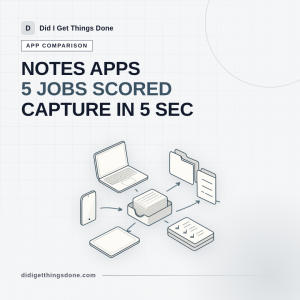
The best note taking app for a GTD system is the one that gets a thought out of your head and into a single trusted place before you lose it. That is a narrower test than most roundups apply. Feature tables tell you which app has tables, handwriting and an AI summariser; they rarely tell you how many seconds it takes to save a line of text with your phone locked in your pocket, or how painful it will be to leave in three years.
So this piece scores seven contenders (Apple Notes, Google Keep, OneNote, Evernote, Obsidian, Drafts and Bear) against five jobs a notes app has to do inside a Getting Things Done workflow. Capture speed and exit cost carry the most weight. Formatting and AI extras carry the least. The honest conclusion, up front: for a lot of people the free stack wins.
Ubiquitous Capture With an AI Assistant: How to Catch Every Idea in Under 5 Seconds
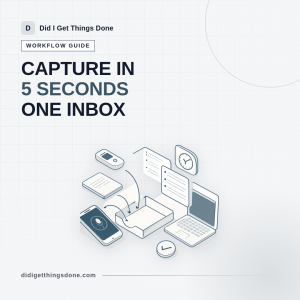
An AI assistant earns a place in your capture setup only if it beats the alternatives on one measure: the number of seconds between the thought arriving and the thought being safely out of your head. That is the honest test for any ubiquitous capture AI assistant, and it is a much lower bar than the marketing suggests. Voice-to-text is fast and genuinely useful. The rest of what these tools promise, the tidying, the categorising, the guessing at what you meant, tends to create work rather than remove it.
This article treats AI as one capture channel sitting alongside your phone, your wearable and your pocket notebook. The goal is a setup where nothing gets lost, everything arrives in one inbox you trust, and processing that inbox stays under control.
OmniFocus Perspectives Guide: 6 Custom Views That Cut Your Daily Review
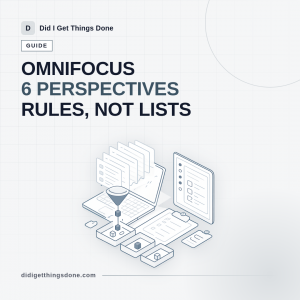
A perspective in OmniFocus is a saved query over your single task database, not a separate list you have to maintain. That distinction is the reason this OmniFocus perspectives guide starts with questions rather than settings: once you know exactly what you want to ask ("what could I do in ten minutes right now?", "who owes me something?"), the rules almost write themselves. Get it wrong and you end up with fifteen sidebar entries you no longer trust, which is worse than having none.
What follows is the reasoning behind six views that answer real questions, the exact rule and grouping combinations to use, and the traps that make a perspective look broken when it is only doing what you told it.
Best Note Taking App: 7 Tested Picks for a GTD Workflow
The best note taking app for a Getting Things Done workflow is rarely the one with the longest feature list. It is the one you can open in under three seconds on a train platform, dump a thought into, and then empty cleanly into your next actions list on Sunday afternoon. That is a much narrower job than "notes", and it is the only job this guide scores apps on. Below are seven picks, each with a defined role, an honest cost line, and the point at which it lets you down.
Miss any one of those and the app becomes a place where information goes to die.
Mac Productivity Apps: 12 Tools That Build a Working GTD System
Most roundups of mac productivity apps hand you fifty options and no system. This one does the opposite. It groups the tools by the job they do in a Getting Things Done workflow (capture, clarify, organise, reflect, engage, plus focus and email), names one strong pick and one cheaper or Apple-built alternative for each, and finishes with a rollout plan you can complete in an afternoon. Fewer apps, wired together properly, beat a beautiful shelf of software you never open.
Before you buy anything, apply three tests. First, can you get a thought in within two seconds using a keyboard shortcut, without deciding where it belongs? Second, can you see everything you have committed to in one review, without opening four apps? Third, does it charge you a daily admin tax in tags, statuses and tidying? Any app that fails the third test will be abandoned by the second month, however good the screenshots look.
Sparrow Mac Mail App
I have been using The Sparrow Mail App for quite a while now and it has taken me away from the inbuilt Mail.app. I will be covering some cool workflow and integration I have done with Sparrow in the coming months but for now, check out the intro video.
Productivity, Motivation, and Personal Development Links – 5th June 2011
Well, I have been super busy and super productive so trying my best to share some of the great links I have been collecting over the past few weeks.
It seems like every week a new GTD or Productivity app is coming out either Web based, Client based or Mobile App based. Truly exciting times.
Here are my collection of links for this week.
Tricking out Your OmniFocus Perspectives
This is an excellent presentation by Merlin Mann from the OmniGroup booth at Macworld 2011. This is a 56 minute presentation about how to trick out your OmniFocus perspectives.
This is a MUST SEE if you use OmnIFocus as I do.
Tricking-out Your OmniFocus Perspectives from The Omni Group on Vimeo.
Productivity, Motivation, and Personal Development Links – 27th March 2011
I have had a little break from this blog as I have been very busy getting things done but I am back with my usual weekly collection of links. Quite a lot has happened over the past month and I have completed two exams since my last writing so I have been busy studying and prepping for these.
Here are my collection of links for this week.
This is an excellent and in-dpeth review of OmniFocus and really does provide some real pros and cons as to using a powerhouse application such as OmniFocus as part of your GTD system. Hope you all have a great week ahead!
Productivity, Motivation, and Personal Development Links – 13th February 2011
I hope you are all ready for Valentines tomorrow? It is my wife's birthday so we get to celebrate two things, and I do not have any excuses to miss either!
Here are my collection of links for this week.
Hope you all have a great week ahead!

